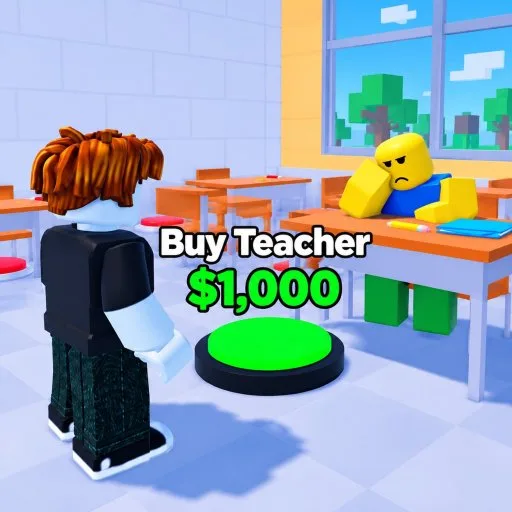
School Tycoon uses ordinary Roblox movement plus tycoon pads. There is no combat hotbar to memorize. The skill is seeing the next pad and not losing Customize behind the camera.
PC
- Move with WASD or the arrow keys.
- Look with the mouse.
- Jump with Space.
- Collect by walking into homework or using the on-screen prompt.
- Open the Roblox menu with Esc.
- Zoom with the mouse wheel.
Keep the camera slightly high so droppers and prices stay in view. Face the next pad while you collect so the buy is one step, not a spin. Shift-lock and keybinds follow your Roblox account settings.
Mobile and controller
The left stick moves, a drag on the right side looks, and the jump button jumps. Collect by walking over drops. Tap Customize on the left stack. Zoom out farther than a PC player would, because pads hide behind walls on a small screen. Pause before opening a menu. After a redeem, check the money label before the panel closes.
Controller players get the same labels, Customize and Codes, through Roblox button prompts when the experience supports the platform. Voice chat and the Roblox camera are marked not supported on the experience page.
When a pad will not buy
- The price is higher than your coins. Lap using Make Money.
- An earlier pad is required. Check upgrades.
- You are standing on someone else's plot. Walk back to yours.
- The server is still streaming. Wait a moment after you join.
Staff buttons use the same proximity rule. If a student hire does nothing, you are usually out of desks, which the staff list explains.
Collect feedback
A working printer and stamper should move the money counter when you pick up homework. If collects feel dead, confirm those pads exist, rejoin once, and make sure you are not collecting on a neighbor's drops and expecting their coins. There is no separate end-of-day ledger.
Before you go AFK, stand on open plot, not on a pad you might buy by accident when you return. Before you quit, let the current purchase finish. After an update, reopen Customize and look for new buttons.
The bus, once you own it, is another proximity prompt. Clear the lane, start the trip, then reinvest. Steps are in field trips.